Help
Support & FAQ
One page for everything you need to get unstuck.
Please check the FAQ below before reaching out. Most issues (microphone, install, login) are answered in the next three sections. You'll save us both time.
Contact hierarchy
How to reach us
Primary
support@shadowin.xyz
Reply within 1 business day.
Emergency only
Telegram @shadowinsup
For payment / login outages. Not monitored 24/7.
How to install Shadowin on your phone
Add Shadowin to your home screen so it launches like a real app (fullscreen, no Safari chrome).
- 1
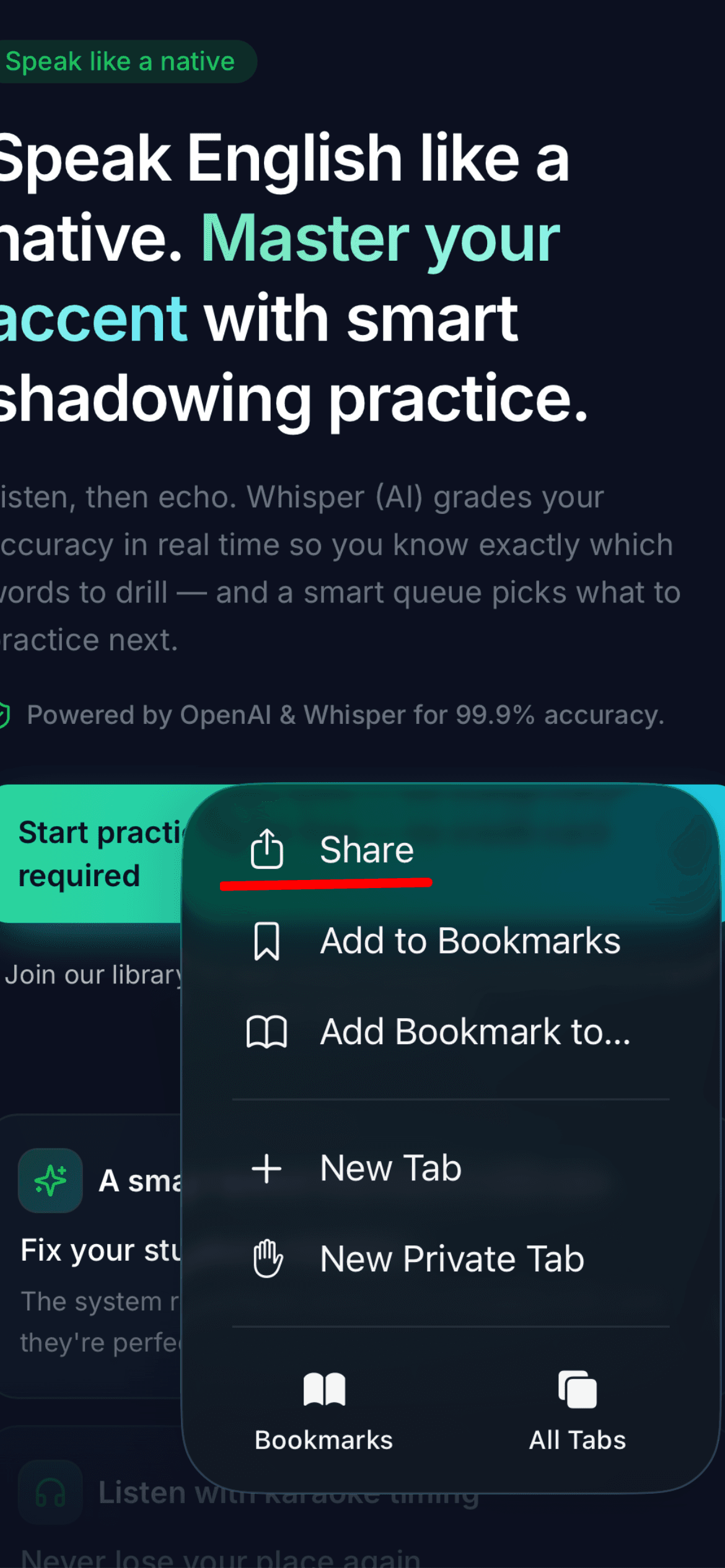
Open shadowin.vercel.app in Safari
Chrome and Firefox on iOS cannot install PWAs — Safari only.
- 2
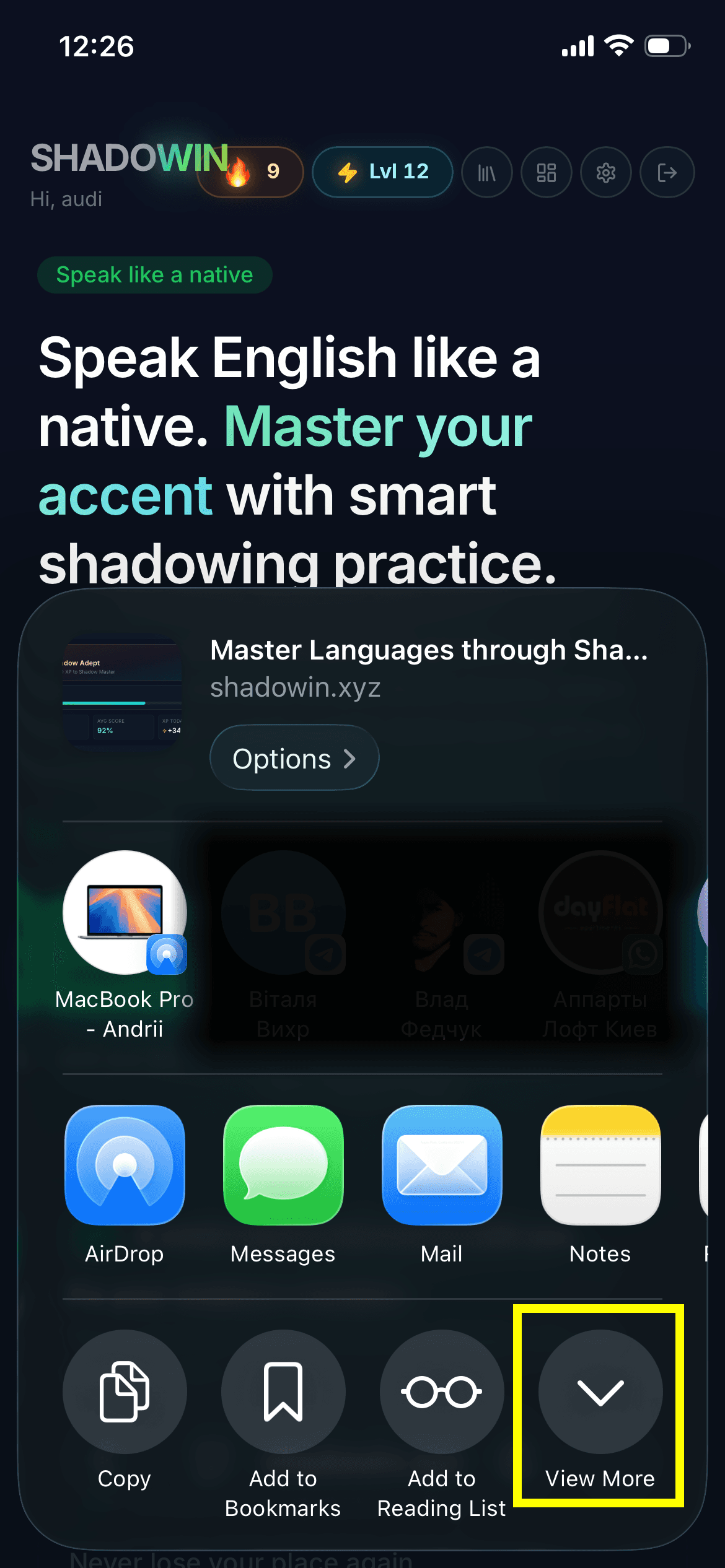
Tap the Share button
The Share icon lives in the address bar on iPad and at the bottom toolbar on iPhone.
- 3
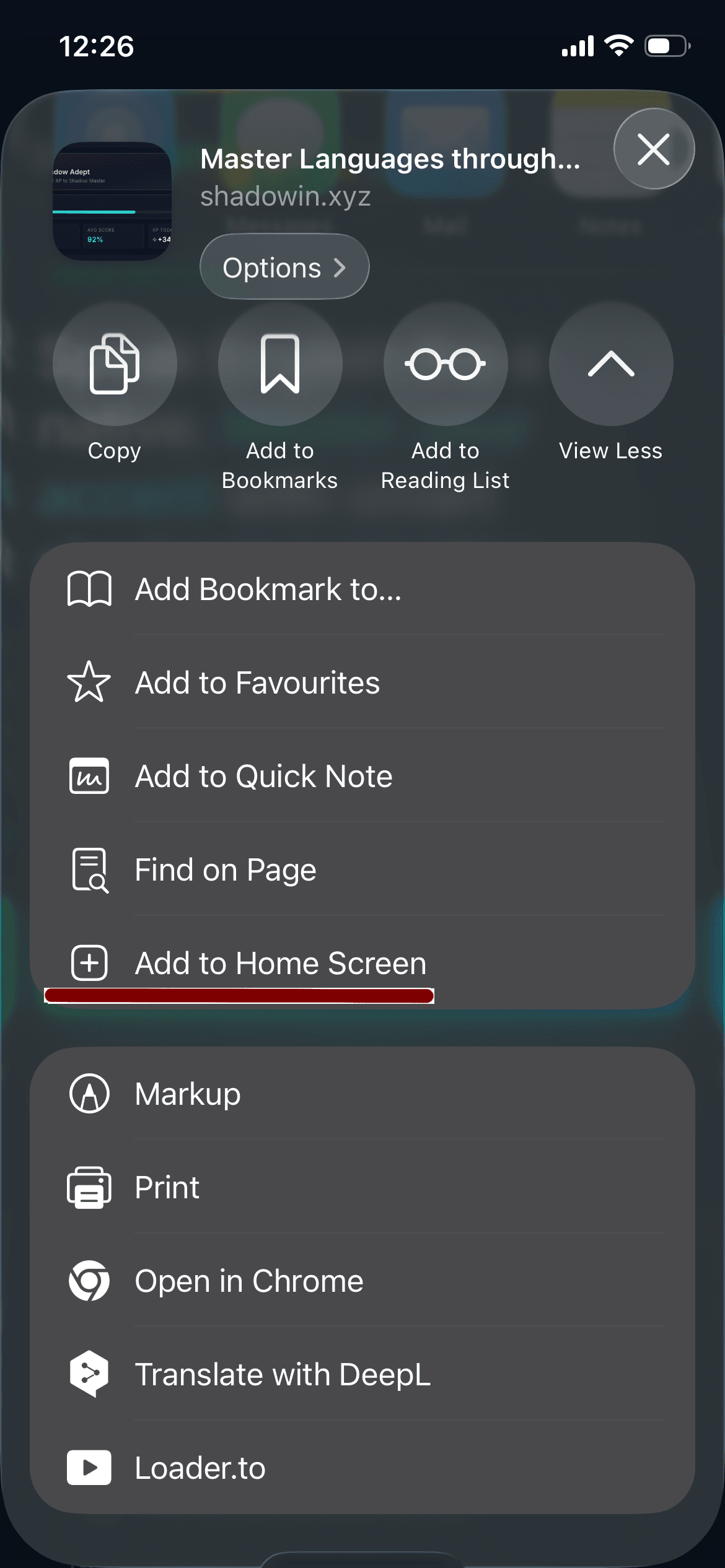
Scroll down and tap "Add to Home Screen"
If you don't see it, scroll the action list further down — Apple keeps it below the first row.
- 4
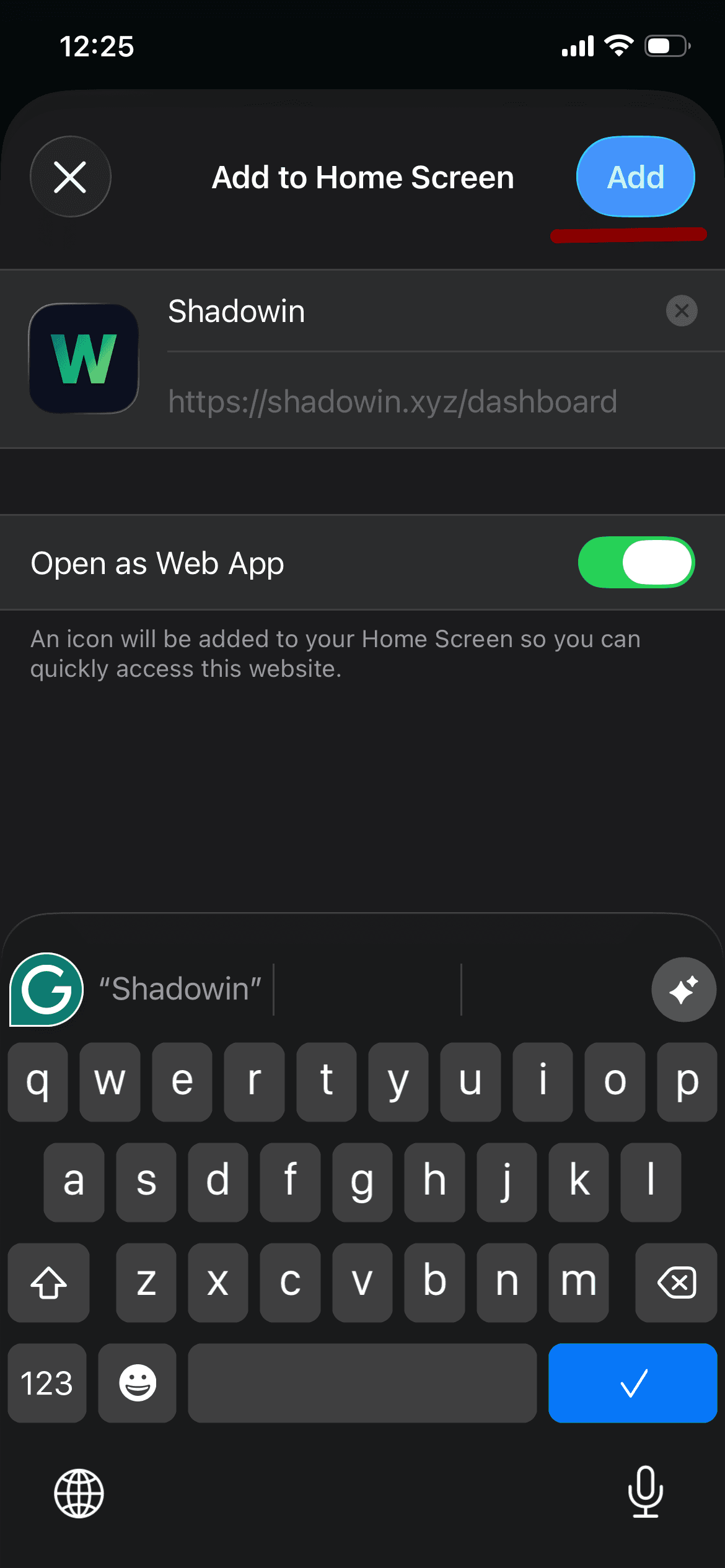
Tap Add
Shadowin now sits on your home screen and launches in fullscreen mode.
Microphone — permanent access
Safari forgets mic permission every time you close the tab unless you grant it permanently.
- 1. iPhone Settings → Safari → Microphone → set to Allow.
- 2. Or, on the Shadowin page itself: tap AA in the address bar → Website Settings → Microphone → Allow.
- 3. Reload the page — the next recording prompt should not appear.
Microphone — troubleshooting
- Mic icon greyed out? Tap AA → Website Settings → Microphone → Allow. Reload.
- Recording starts then silently fails? Another app is holding the mic (FaceTime, Zoom, a voice memo). Close it, then return to Shadowin.
- Wired headphones with bad mic? iOS routes input to whatever was last connected. Unplug and try again with the phone's built-in mic.
- In PWA (home-screen icon) mode and it still won't work? Permissions are tracked separately for PWA vs Safari. Open the site in Safari once, allow there, then return to the PWA.